QuickBooks Solopreneur Review: What Self-Employed Users Lose, and Who Can Skip It
QuickBooks Solopreneur review for former Self-Employed users: what moves, what is lost (tags, vendors, custom categories), the price, and who can skip it.
By Easy Bookkeeping Sheet by Cosmo Suite · Editorial policy
Published · 7 min read
If you use QuickBooks Self-Employed, Intuit is offering to move you to QuickBooks Solopreneur. Intuit's help page describes the move as an upgrade, with familiar and enhanced features. For some users it is. For others it means losing tags, vendors and the categories they built over years. If those categories matter most, a bookkeeping spreadsheet where you name every category yourself keeps them.
The short answer: Solopreneur suits you if you rely on its automation (bank feeds, mileage, receipts, invoices) and accept Intuit's predefined categories. It does include a profit and loss report. If you need categories you name yourself, and a year summary by those categories for your accountant, you can skip it and keep your books for less.
This review uses Intuit's own help pages and pricing, checked on 3 October 2026.
QuickBooks Solopreneur at a Glance
QuickBooks Solopreneur is Intuit's bookkeeping product for one-person businesses, and the replacement offered to Self-Employed users. It keeps most of Self-Employed's automation, drops some organizing tools, and has a Free tier plus a paid tier at $20 a month (Solopreneur page).
| Question | Answer (Intuit, 3 Oct 2026) | Why it matters |
|---|---|---|
| Price | Free tier; paid Lite tier $20/month list (intro 50% off for 3 months); Simple Start $38/month | Lite is $240 a year after the intro |
| Who it is for | "one-person businesses", Schedule C filers | Sole proprietors and single-member LLCs |
| Categories | Predefined; custom chart of accounts needs Simple Start ($38/month) | Your own category names may not survive |
| What migrates | Customers, trips, bank connections, receipts, up to 3 years of transactions | Most day-to-day history moves |
| What does not | Tags, vendors, third-party integrations (Etsy, Uber, Amazon) | Etsy and rideshare sellers lose a data feed |
| Old account | No access after the upgrade | Download everything first |
Best for: one person who wants bank feeds and mileage handled automatically. Worth skipping: anyone whose main need is their own categories and a year summary built on them.
What changed for Self-Employed users?
Most of the changes affect how you organize your books; the automation stays.
Intuit's migration page lists what moves: "Customers", "Trips", "Bank Connections", "Transactions (Up to 3 years)" and "Receipts", plus invoices and products for some accounts. It also lists what cannot move: "Third-party app integrations such as Etsy, Uber, Amazon", "Tags" and "Vendors". Rules and quarterly tax estimates are marked as coming later (Intuit migration help).
The categories changed too. A chart of accounts is the list of categories every transaction is sorted into. Intuit's introduction says Solopreneur "automatically categorizes transactions into predefined categories", and that if you need to customize your chart of accounts, "QuickBooks Online Simple Start offers this capability" (Intuit Solopreneur introduction).
In short, the automation comes across and the organizing you did yourself (tags, vendors, custom category names) stays behind. If you mostly need to categorize transactions and produce a year-end summary by category, most of what Solopreneur adds is automation you may not need.
What does Solopreneur still do well?
It still handles the automatic jobs and includes profit and loss reporting. For some people those are worth $20 a month.
Bank connections. Once you link your bank, Solopreneur imports and categorizes transactions automatically. For example, with many card lines a month, that saves real time.
Mileage tracking. Intuit lists mileage tracking as included. If you drive for work, logging trips by hand is tedious and easy to forget.
Receipt capture. Snap a receipt and attach it to the transaction.
Invoicing. Invoice creation and management, and Intuit's migration page adds sending estimates.
Schedule C focus. Intuit says it is "designed for 'Schedule C' (form 1040) filers". Schedule C is the IRS form used "to report income or loss from a business you operated or a profession you practiced as a sole proprietor" (IRS: About Schedule C). That focus suits many US sole proprietors.
Best for: a US sole proprietor who drives for work, invoices clients from the app and is happy with Intuit's categories.
Who can skip QuickBooks Solopreneur?
You can skip it if you don't use the automation and mainly want clean category totals at tax time.
Ask yourself four questions:
- Do you connect a bank and review transactions there every week?
- Do you track mileage in the app?
- Do you send invoices from QuickBooks?
- Are Intuit's predefined categories fine for you?
If you answered no to the first three, you're paying for software to do something you do yourself. If you answered no to the fourth, Solopreneur works against you. The fix inside QuickBooks is Simple Start at $38 a month list (QuickBooks pricing). Outside QuickBooks, a $9 sheet with your own categories and a year summary by category does the same job.
Here is what the three paths cost at list price, before intro offers.
| Path | Your own categories? | 1 year | 3 years |
|---|---|---|---|
| Stay on Solopreneur (paid Lite tier) | No (predefined) | $240 | $720 |
| Move up to Simple Start | Yes (custom chart of accounts) | $456 | $1,368 |
| Easy Bookkeeping Sheet | Yes (up to 20 income + 20 expense) | $9 | $9 |
The sheet is cheaper because it does less: it has no bank feeds, mileage log, receipt capture or invoicing. Our list of QuickBooks alternatives grouped by why people leave covers software that keeps bank feeds for less than Simple Start.
What should you do before the switch?
Download everything, whichever path you choose.
Intuit's warning: "you won't be able to access your old account after the upgrade process is complete." It advises you to "download and save your reports and accounting info" first. Complete these four steps before you click:
- Export all transactions to a spreadsheet, every year you have.
- Save your profit and loss reports for each tax year you might need again.
- Write down your tags and vendors. They do not migrate, so a list is the only copy.
- Note your rules. Rules are marked as migrating later; until then, a written list lets you rebuild them.
Then map your old categories and tags to their new location. In Solopreneur that means fitting them into the predefined list. In a spreadsheet, an old tag can become a separate category or a note on each line. The payment method column can stand in for the account it came from.
Consider a sample Etsy seller who used three tags in Self-Employed:
| Old tag in Self-Employed | In Solopreneur | In a spreadsheet |
|---|---|---|
| Etsy fees | Mapped to one of the predefined categories | Its own expense category, "Etsy fees" |
| Craft fair sales | Mapped to a predefined income category | Its own income category, "Craft fairs" |
| Cash at markets | No tag; tags do not migrate | Payment method "Cash" on each line |
Either column can work. Decide where each tag goes before the old account closes.
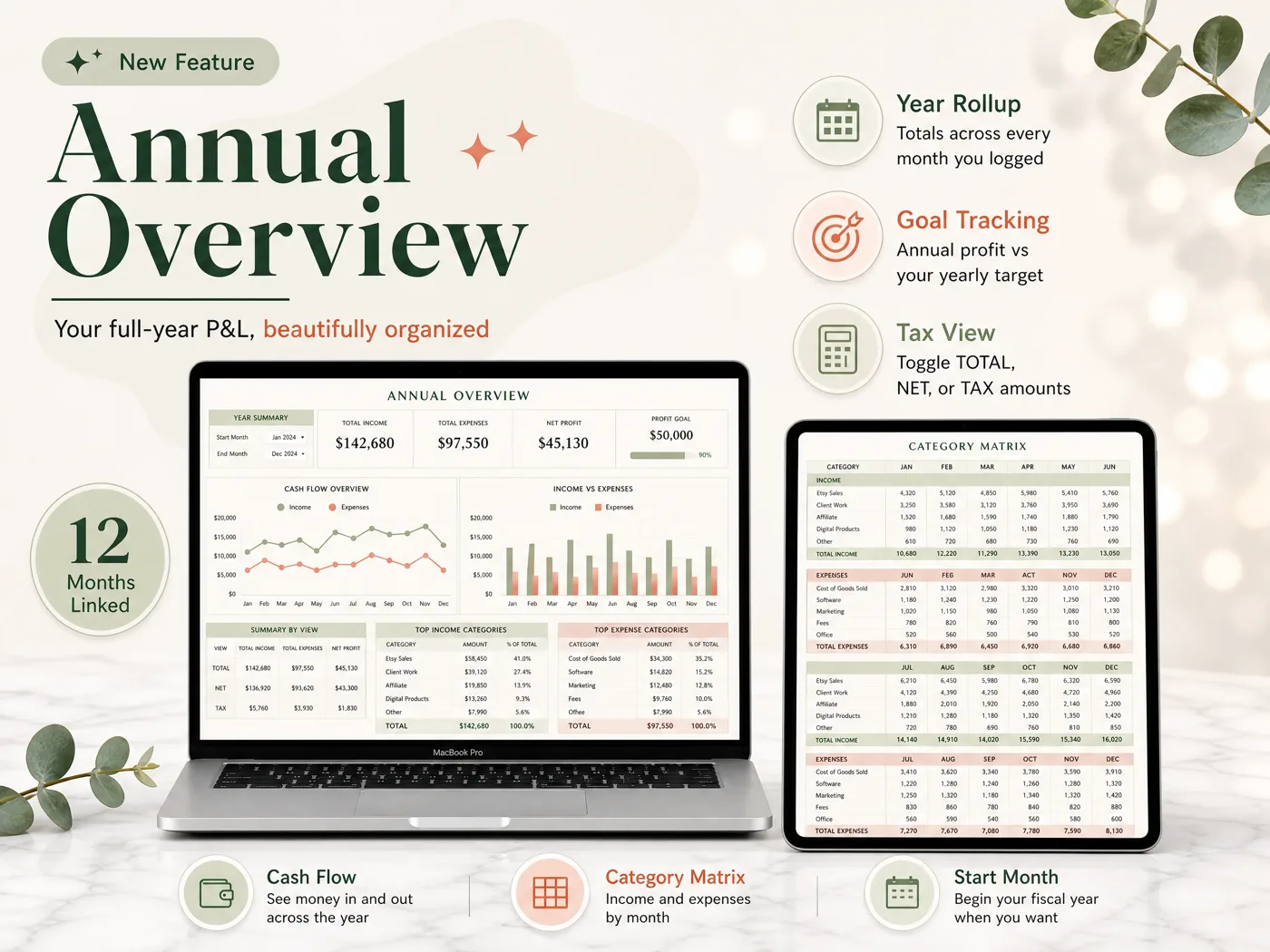
Once those tags are categories, the sheet's category matrix shows them by month. Here is the same sample seller's first quarter:
| Category (sample data) | Jan | Feb | Mar | Q1 total |
|---|---|---|---|---|
| Income: Etsy sales | $1,200 | $950 | $1,400 | $3,550 |
| Income: Craft fairs | $0 | $300 | $450 | $750 |
| Etsy fees | $156 | $124 | $182 | $462 |
| Materials | $300 | $280 | $410 | $990 |
| Booth fees | $0 | $60 | $60 | $120 |
| Profit | $744 | $786 | $1,198 | $2,728 |
Income is $4,300 and expenses $1,572, so Q1 profit is $2,728. The old "Etsy fees" tag is now a line you can read on its own: $462, or 13% of Etsy sales. In Solopreneur those fees sit inside whichever predefined category they were mapped to.
How long to keep these exports depends on the return they support. The IRS general rule is 3 years from filing, with longer periods in some cases. Ask a tax professional for your situation.
Why Trust This Article
This review comes from the Cosmo Suite team, which makes the Easy Bookkeeping Sheet, one of the paths compared here. We aren't neutral, so we say plainly where Solopreneur is the better choice. Read more about who runs this site. Our methodology: what Solopreneur does, what migrates and what each plan costs come from Intuit's own help pages and pricing, opened on 3 October 2026. The path costs and the Etsy seller's quarter are sample calculations from those list prices. We follow our editorial policy on sources and corrections; contact us through the site if Intuit has changed something. Intuit updates both products often, so check the help pages before you decide.
Where the Easy Bookkeeping Sheet Fits
Self-Employed users who leave usually want two things: categories they name themselves, and a year summary by those categories. Solopreneur reports profit and loss, but on Intuit's predefined categories. That is what the Easy Bookkeeping Sheet is built around.
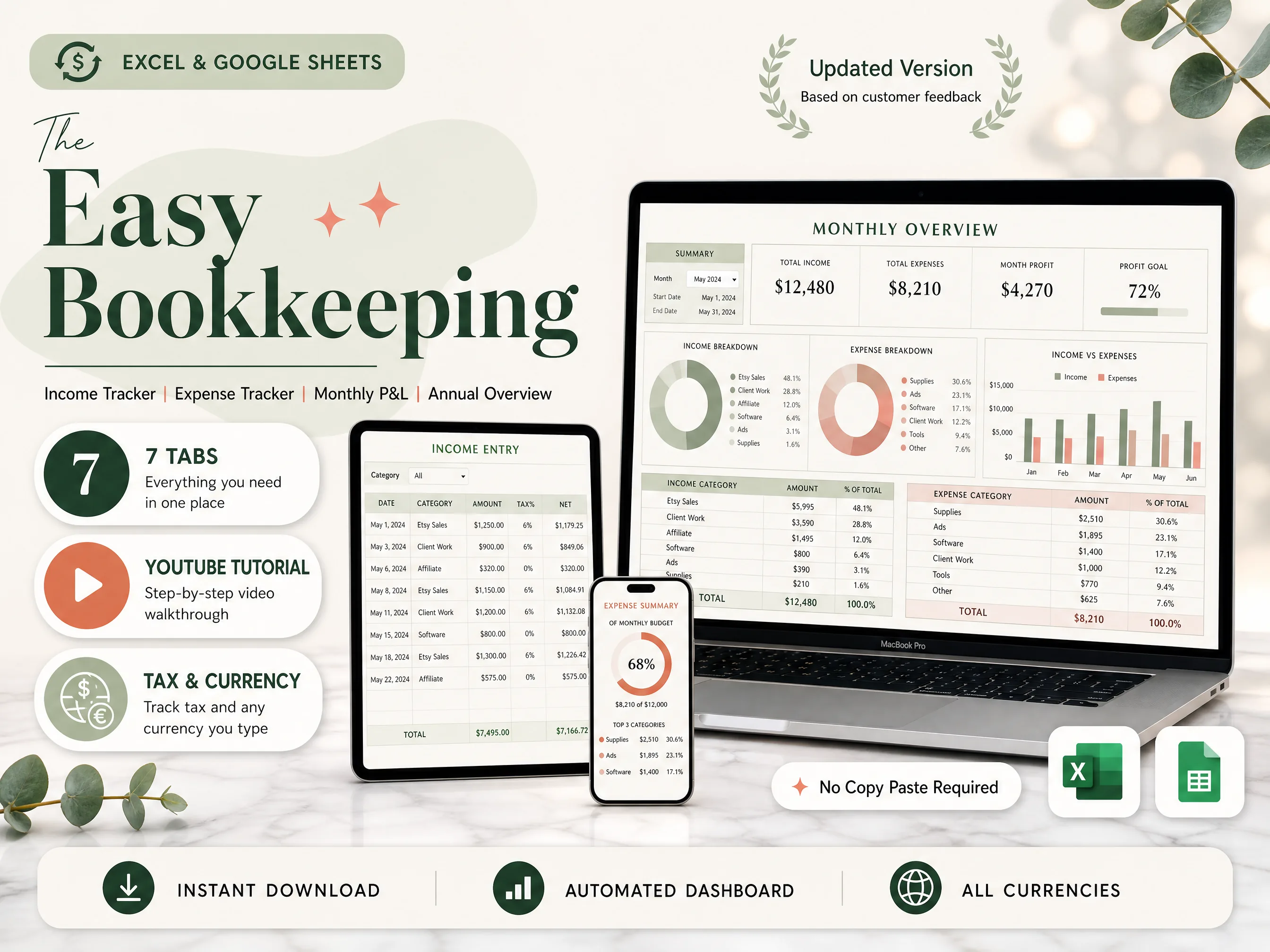
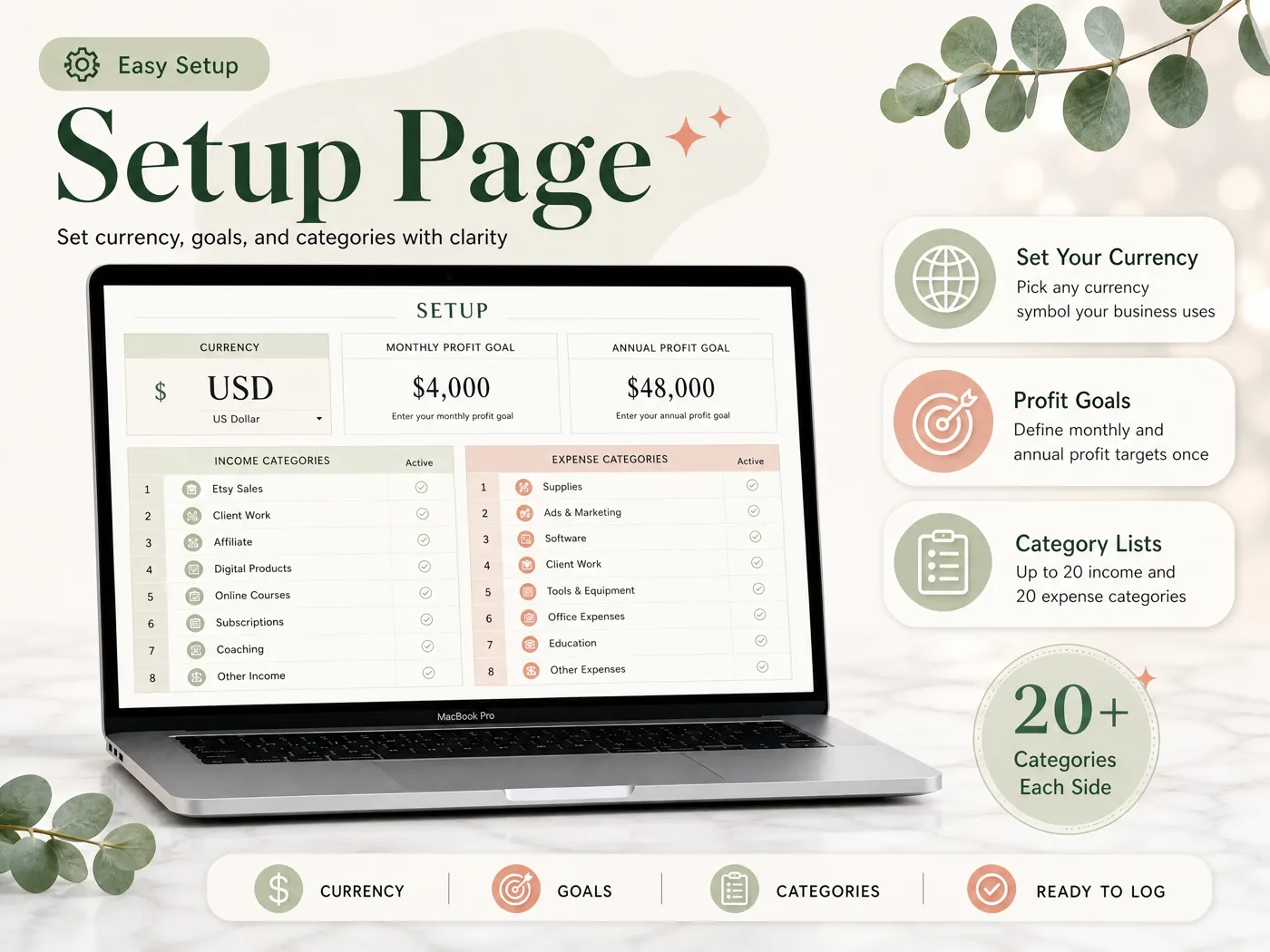
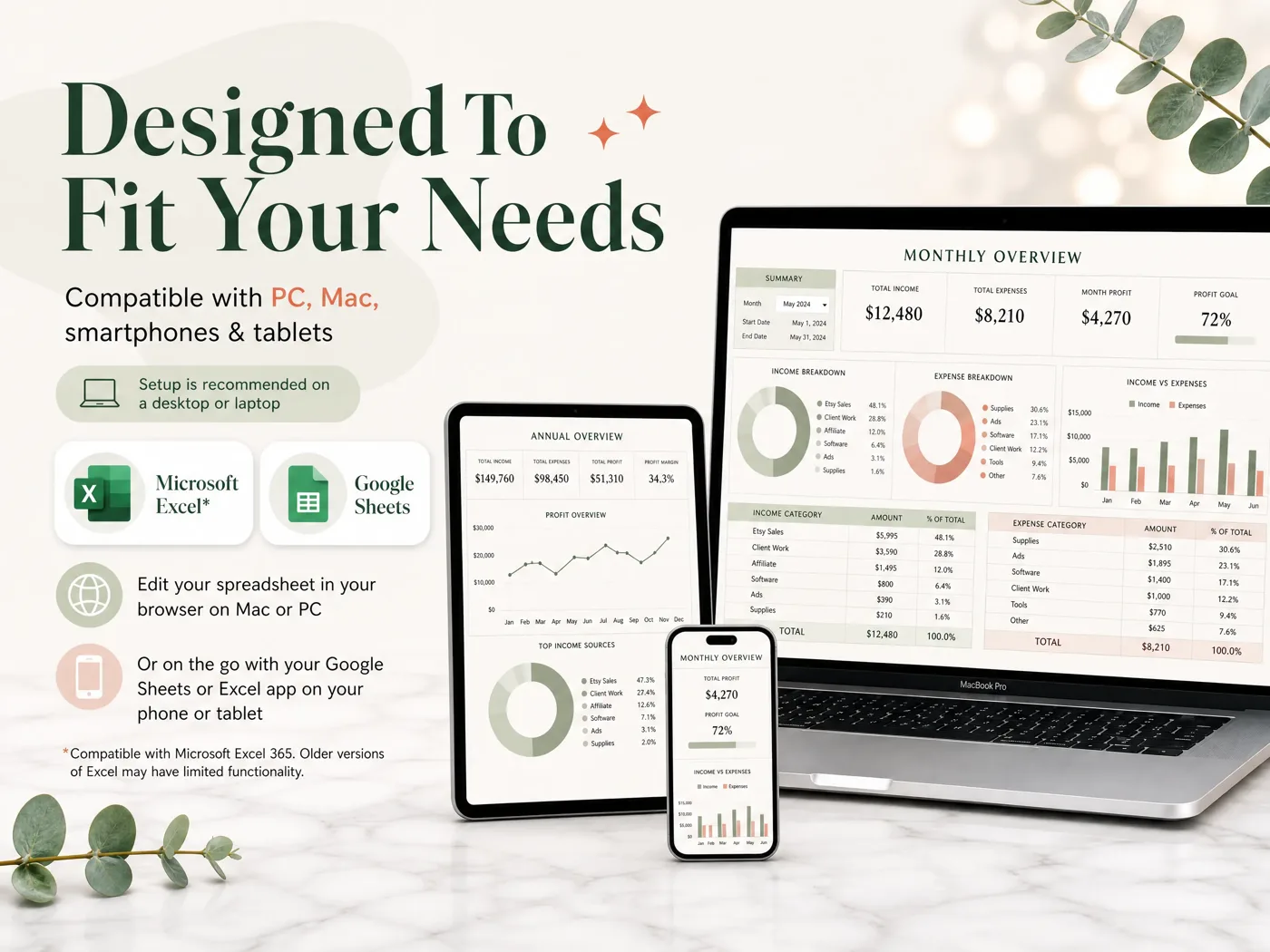
On the Setup tab you choose your currency, monthly and annual profit goals, and up to 20 income and 20 expense categories, with active and inactive toggles. Each income or expense entry has a date, category, description, amount and notes, and a per-row or default tax rate fills in the net and tax amounts. The Monthly Overview shows profit against your goal with category tables. The Annual Overview builds the full-year P&L and a category matrix by month, starting from your own fiscal start month. A Balance and Payment Method tab tracks up to 12 payment methods.
It works in Excel 365 and Google Sheets, including on a phone, and costs $9 once. It is not a replacement for bank feeds or mileage tracking. For what any sheet must get right before tax time, see the 5 checks for a bookkeeping spreadsheet. Every tab is shown on the one-time bookkeeping template for Excel and Google Sheets.
Frequently asked questions
Is QuickBooks Solopreneur the same as QuickBooks Self-Employed?
No. Solopreneur is the newer product Intuit moves Self-Employed users onto. Customers, trips, bank connections, receipts and up to 3 years of transactions migrate. Tags, vendors and third-party app integrations such as Etsy, Uber and Amazon do not, and rules are listed as coming later.
How much does QuickBooks Solopreneur cost?
On 3 October 2026, Intuit's Solopreneur page listed a Free tier, a paid Lite tier at $20 a month (intro offer 50% off for 3 months, $240 a year at list price), and Simple Start at $38 a month. The free tier does less, so compare the features you use. Prices change, so check the page and your renewal email before you decide.
Can I create my own categories in QuickBooks Solopreneur?
Not in the way Self-Employed users often expect. Intuit's help page says Solopreneur sorts transactions into predefined categories, and that customizing the chart of accounts needs QuickBooks Online Simple Start, which lists at $38 a month.
Will I lose my data when I switch?
Some of it, and you lose access to the old account. Intuit warns you won't be able to access your old account after the upgrade, and advises downloading your reports and transactions first. Do that before you click upgrade, even if you plan to stay.
Who should stay on QuickBooks Solopreneur?
Stay if you use its automatic jobs every week: bank feeds, mileage tracking, receipt capture or invoicing. Those are real time savers that a spreadsheet does not do. If you mainly need income, expenses and profit by category at tax time, a cheaper option will cover it.
What is the fastest way off Solopreneur to a spreadsheet?
Download your transactions and reports, set up your own income and expense categories once, and enter the current year from the first month. The Easy Bookkeeping Sheet has a Setup tab for up to 20 + 20 categories and builds the monthly and annual P&L from your entries, for $9 once.