Small Business Bookkeeping Templates That Hold Up at Tax Time (Matched to Your Setup)
Small business bookkeeping template: a 6-point test (categories, tax, start month, payment methods, Excel version, phone) and 3 sample setups run through it.
By Easy Bookkeeping Sheet by Cosmo Suite · Editorial policy
Published · 8 min read
Most small business bookkeeping templates look identical on a download page, but they differ in six characteristics that you only notice at tax time, when a category is missing or the totals no longer match the entries.
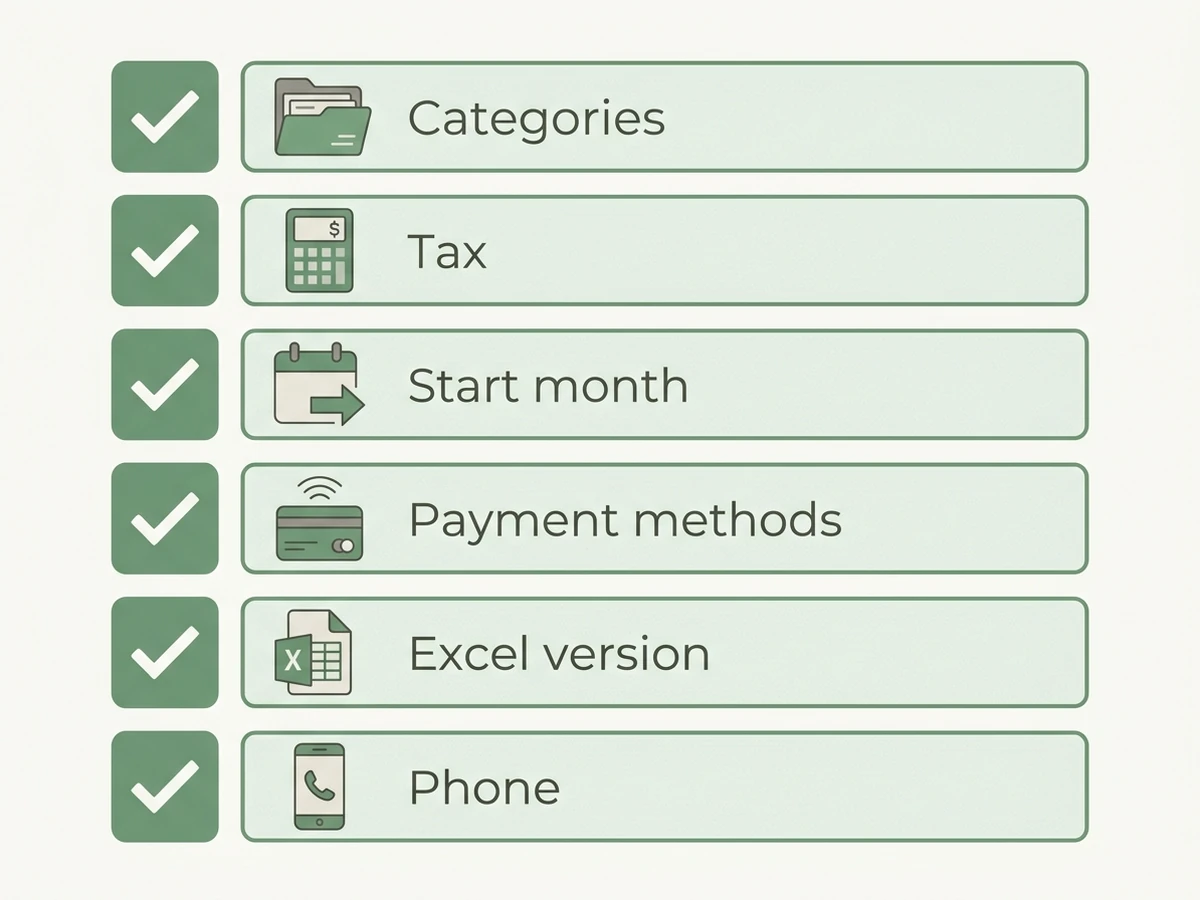
The short answer: a bookkeeping template holds up when it passes six checks. It has enough categories, a tax field on every line, a start month that matches your tax year, your payment methods, a build that suits your Excel version, and a way to log from where you work. If you want one file that passes all six, a bookkeeping spreadsheet with a tax rate on every line is what we make. Below is the test, then three sample setups run through it.
Small Business Bookkeeping Templates at a Glance
A small business bookkeeping template is a spreadsheet that records money in and money out by category, so profit can be read from it. The kinds on offer differ in how they are built.
| Kind of template | What it gives you | What to check | Best for |
|---|---|---|---|
| Free one-tab sheet | A table for income and a table for expenses | Whether totals are typed in; a tax column; a year view | A few transactions a month |
| Free template gallery (Microsoft, Smartsheet) | Many separate files for separate jobs | Which file does your books, and whether files link | Picking one job, such as a cash log |
| Marketplace listing (Etsy, template shops) | A designed workbook with a dashboard | The tab list, category limit and Excel version, in the listing | Buyers who want a finished look |
| Linked bookkeeping workbook | One category list feeding entries and overviews | Category cap, start month, payment methods | Sole owners with a few dozen lines a month |
| Accounting software | Bank feeds, invoices, payroll | The monthly price | Several users, payroll, stock |
The first three are usually blank or only loosely connected, while the last two calculate everything from your entries, which is why the test below concentrates on how a template is constructed.
What does a bookkeeping template have to do?
It has to show your income and expenses clearly enough that you, your accountant or a tax office can follow them. That is the bar the tax authorities set. The IRS says you "may choose any recordkeeping system suited to your business that clearly shows your income and expenses" (IRS). GOV.UK asks sole traders to "keep records of your business income and expenses for your Self Assessment tax return" (GOV.UK).
Neither page says "use software", so a sheet qualifies, and the real question is whether this particular template will still be readable in March, after a year of entries.
Two problems undermine that requirement most frequently. A category list that is copied by hand into several tabs gradually drifts, so "Software" on one tab becomes "Subscriptions" on another. Totals that are typed rather than calculated become outdated the first time you edit an entry. The six checks below catch both.
What are the six checks a template must pass?
Run these in order, since each takes only a minute once the file is open.
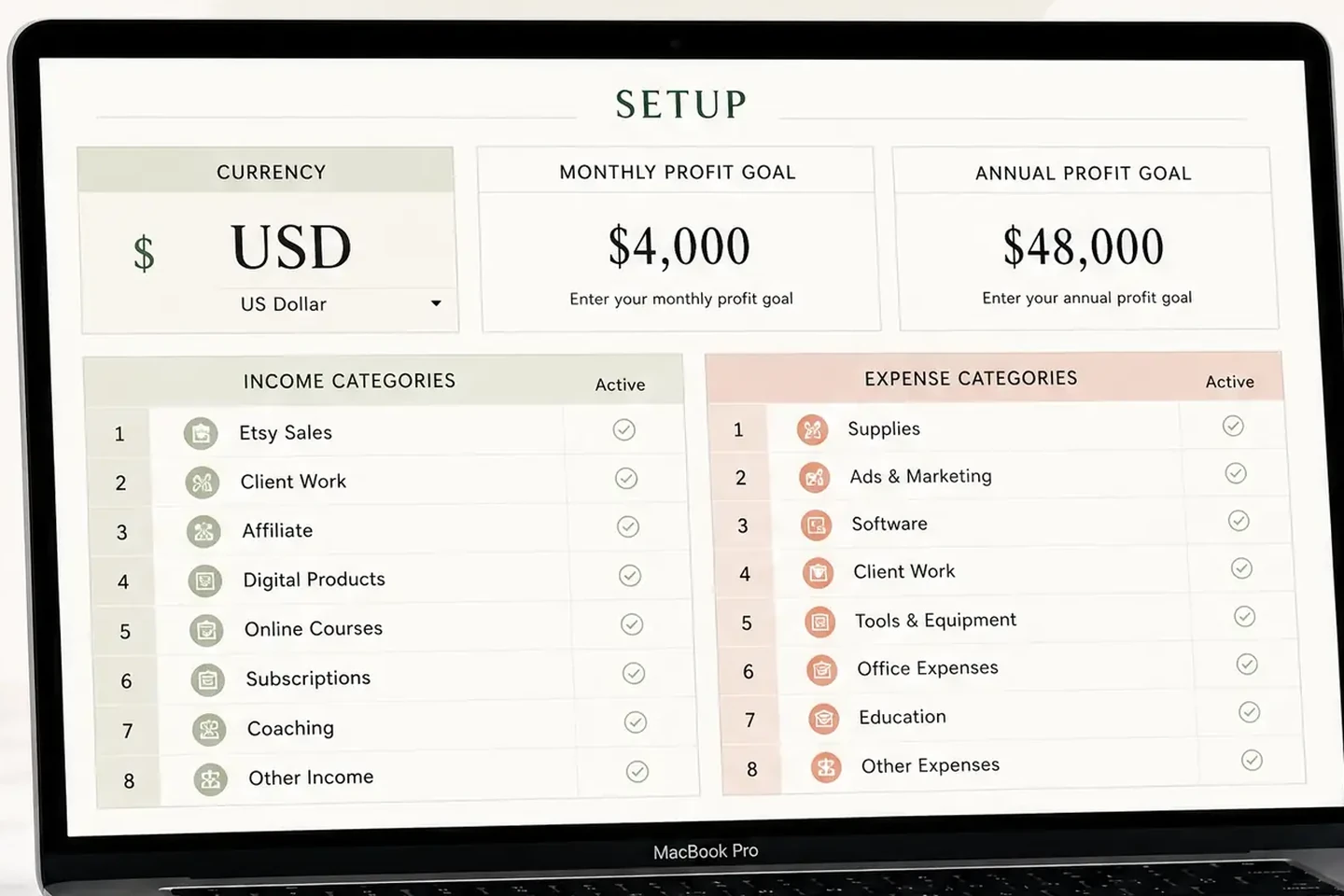
- Category limit. Count the income and expense lines you need, then count the rows the template gives you. Some free tables give you far fewer rows than a growing business needs, so count them. Ours allows 20 income and 20 expense categories, each switched on or off.
- A tax field on every line. You want the amount, the tax rate and the tax amount per row, not one tax total at the bottom. Sales tax or VAT collected is not income, and tax paid on purchases changes your cost.
- A start month. A US sole owner usually reports on the calendar year. A UK sole trader's tax year starts on 6 April. If the template cannot start the year in another month, the annual view is wrong from the first entry.
- Payment methods. Cash, bank and card each need their own balance, or you will not know why profit and the bank balance disagree.
- Excel version. Check what the file was built for. Newer functions can fail in older Excel, so the dashboards go blank on an old install. Our workbook is built for Excel 365, with Google Sheets as the other option.
- How you log. If you log a sale at a market stall, you need a version you can open on a phone. Test that before you rely on it.
A seventh habit sits outside the file: after you enter a month, compare the template's totals with your bank statement once. Then you know the first six held.
How do three sample setups score?
The test matters when your setup is specific. These 3 sample setups were built for this guide on 7 October 2026, and none is a customer case.
| Sample setup | Categories needed | Tax | Start month | Payment methods | Where it needs care |
|---|---|---|---|---|---|
| US freelance designer | 3 income, 12 expense | Sales tax on some work | January | Bank, card, cash (3) | Fits all six without changes |
| UK side hustle next to a job | 2 income, 9 expense | VAT not registered, so none | April | Bank, card (2) | Needs a start month other than January |
| Online print shop | 8 income, 22 expense | Sales tax on sales and supplies | January | Bank, card, cash, 2 payment platforms (5) | 22 expense lines is 2 over a cap of 20 |
The shop is the most useful row, because against the Easy Bookkeeping Sheet it fails check 1 until two lines are merged, for example "Phone" and "Internet" into one, and "Software" and "Subscriptions" into one. That takes 22 lines to 20 and loses nothing you would look at separately. A template with a cap of 12 would have forced ten merges, which is the point where categories stop meaning anything.
The UK side hustle shows check 3. With an April start, the year runs April to March, and the annual overview follows. The same file with a fixed January year would split the tax year across two annual views.
Which template fails which check?
Free templates are usually designed for a different purpose than yours, and each one fails a different check.
The page for bookkeepingtemplate.com says it records sales and expenses in simple tables, calculates VAT from an amount excluding VAT and a rate, and generates a balance sheet and a profit and loss statement. It does not state a Google Sheets version, a start month or a phone option on that page (checked 7 October 2026). That is acceptable for a single VAT-registered Excel user with a calendar year, but it leaves checks 3, 5 and 6 for you to investigate.
The Smartsheet collection lists 23 templates across cash flow, financial statements, invoicing, payroll and more, mostly in Excel, with Google Sheets for selected ones (Smartsheet, checked 7 October 2026). Its page does not mention tax columns or fiscal year options. The catch is that your books end up spread over several files that do not feed each other.
Marketplace listings vary considerably. Read the listing for the tab list, the category count and the Excel version, because the cover image rarely says.
The cost of a free template is the minutes you spend each month fixing what the file does not do. If you spend more than a few, a ready-made bookkeeping spreadsheet with your own categories and tax on each line is $9 once, and the hour it saves in March is the saving.
What should you do before you trust any template?
Enter one complete real month before you commit to a whole year, using last month's receipts, and compare four numbers with your own records: total income, total expenses, tax and profit. If any of them is wrong, investigate the discrepancy before entry 50 rather than entry 500.
Then keep the sheet accurate with a short routine that fits around your other work:
- Weekly: log the week's sales and costs with a category and a tax rate.
- Monthly: compare the month's totals with your bank statement.
- Year-end: read the annual view by category, and send your accountant that, not a pile of receipts.
Our guide to five checks a bookkeeping spreadsheet should pass before tax time goes deeper on the year-end read, and how a profit and loss statement is built from a log of entries shows what the overviews should produce.
When is software the better pick?
Software is the better pick when you need what a sheet cannot do: bank feeds that import transactions, invoices sent to clients, payroll, mileage, stock or several users are all software jobs, and a template will not grow into them. If your accountant works in a specific tool, use that one. What QuickBooks and its cheaper alternatives cost over a year lays out the price side so you can decide with numbers.
For a business with a few dozen transactions a month and nothing to invoice from the books, the cost of software is mostly features you will not open.
Why Trust This Article
The Cosmo Suite team, who make the Easy Bookkeeping Sheet, wrote this guide, so we are not neutral about spreadsheets. Read more about who runs this site and our editorial policy on sources and corrections. The three setups are samples we built to show the checks, not customer data. Statements about other templates come only from their own pages, opened on 7 October 2026, and say "not stated" where the page is silent. The tax-office quotes come from the IRS and GOV.UK pages linked above. This is record keeping, not tax advice; ask a tax professional before you act.
Where the Easy Bookkeeping Sheet Fits
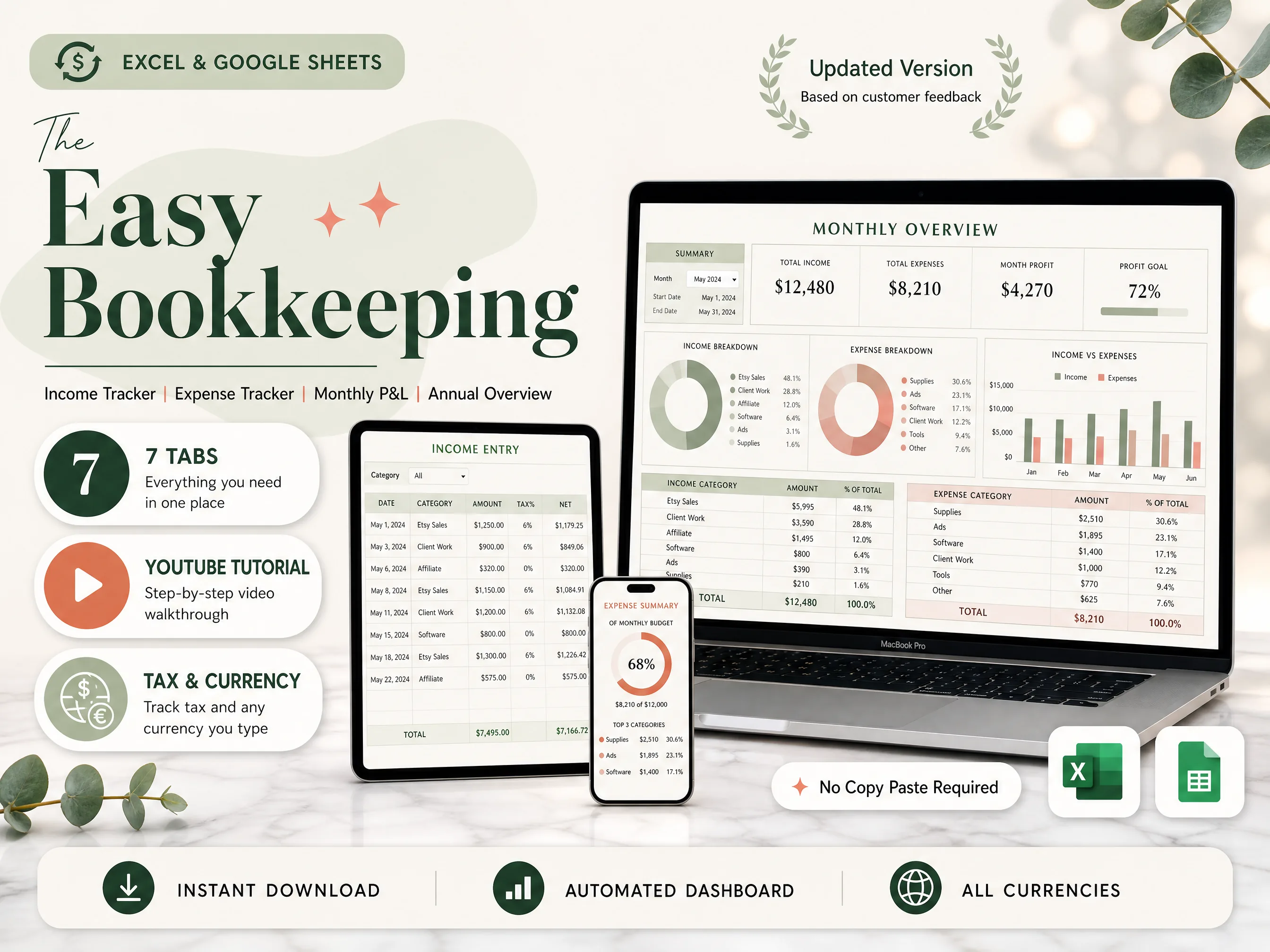
The Easy Bookkeeping Sheet (easybookkeeping.site) was built around the six checks. On the Setup tab you set your currency, monthly and annual profit goals, and up to 20 income and 20 expense categories, each switched on or off. Income and expense entries take a date, category, description, amount and notes, with a per-row or default tax rate, and the net and tax amounts fill themselves.
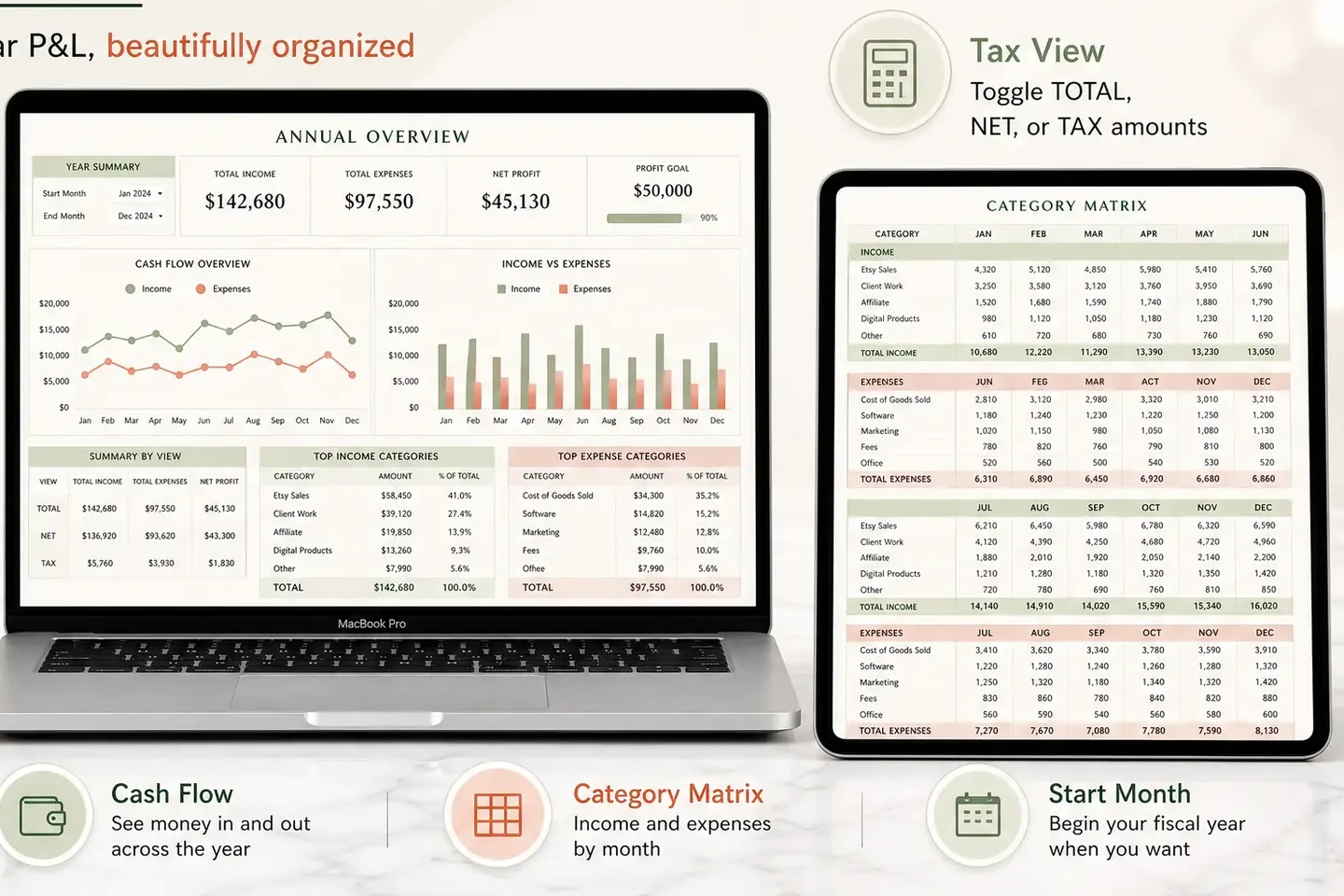
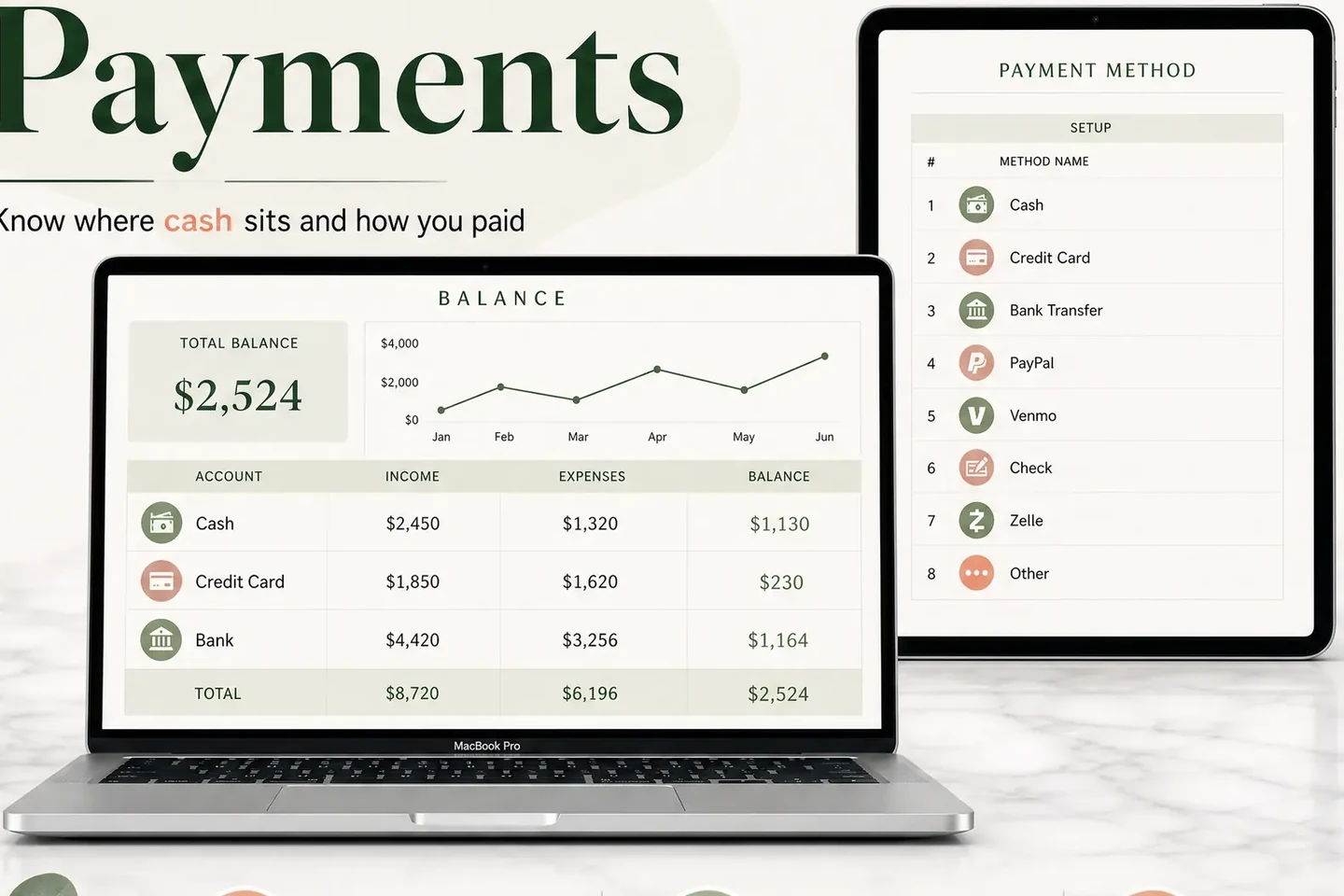
The Monthly Overview shows income, expenses and profit against your goal. The Annual Overview builds the full-year P&L and a category matrix by month, follows your fiscal start month, and switches between total, net and tax. A Balance and Payment Methods tab tracks cash, bank and card balances across up to 12 payment methods. It comes as an Excel file and a Google Sheets copy, with a step-by-step video tutorial.
It has no bank feeds, invoicing or payroll, and it does not file taxes. It is made for Excel 365 (older Excel may lose dashboard features), and it costs $9 once. To see every tab, look at the $9 bookkeeping spreadsheet for Excel and Google Sheets.
Frequently asked questions
What is the best small business bookkeeping template?
The one that passes the six checks for your setup: enough categories, a tax field, your tax-year start month, your payment methods, your Excel version and a way to log from a phone if you need it. For a few dozen transactions a month, a linked workbook is usually enough. Software wins when you need bank feeds, payroll or invoicing.
Is there a free bookkeeping template I can trust?
Yes, free templates exist from Microsoft, Smartsheet and independent sites. Trust depends on how they are built, not on the price. If totals are typed in by hand, or the category list is not shared between tabs, check them against your records every month.
How many categories does a small business need?
Most one-person businesses need fewer than 20 income and expense categories in total. Start with the lines on your tax form or your accountant's list, and merge anything you would never look at separately. A template that caps categories at 20 each, like ours, fits most sole owners.
Can I use a bookkeeping template for my tax return?
Often, yes. The IRS says you may choose any recordkeeping system suited to your business that clearly shows your income and expenses, and HMRC asks sole traders to keep records of income and expenses for Self Assessment. Ask a tax professional whether your setup and category names fit your return.
Excel or Google Sheets for bookkeeping?
Either works if the template is built for it. Google Sheets is free in a browser, which helps if you log from a phone or share with an accountant. Excel 365 works offline. Older Excel versions can lose newer functions, so check which version a template needs before you pay.
When should I move from a template to accounting software?
When you need bank feeds, payroll, invoicing, mileage tracking or several users, or when your accountant works in a specific tool. A template covers the books themselves. It does not connect to your bank or send invoices.
What is the fastest way to get a template that does the math for you?
Pick one where you log each sale and cost once and the overviews are built from the log. The Easy Bookkeeping Sheet works that way, with a category and a tax rate on every line, for Excel and Google Sheets, at $9 once.