How to Make a Profit and Loss Statement in 5 Steps
How to make a profit and loss statement: five steps, a sample month, category totals, and a short review checklist to catch errors before sharing.
By Easy Bookkeeping Sheet by Cosmo Suite · Editorial policy
Published · 8 min read
General information, not tax or accounting advice.
A month of sales can look healthy while costs hide in a pile of receipts, card charges, and notes, so a profit and loss statement turns those entries into a period summary you can explain.
The short answer: set a date range, total income, group expenses, subtract costs, then check each total against the records behind it. A bookkeeping spreadsheet that builds monthly and annual overviews from entries can do the totaling once your categories and transactions are in place. This guide walks through the five steps with a labeled sample month.
How to Make a Profit and Loss Statement at a Glance
A profit and loss statement (P&L) is a summary of business income and expenses over a period. Make one in five steps: choose dates, gather income, group expenses, calculate profit, and check the result. The IRS says you may choose a recordkeeping system suited to your business if it clearly shows income and expenses (IRS recordkeeping guidance).
| Step | What you do | Check before moving on |
|---|---|---|
| 1 | Choose the period | Every entry falls inside the same start and end dates |
| 2 | List income | Refunds and tax collected are handled consistently |
| 3 | Group expenses | Each cost has a category and a source record |
| 4 | Calculate profit | The arithmetic follows the same method throughout |
| 5 | Review the statement | Totals trace back to entries and supporting records |
Use the summary to see period totals, and keep the entry list and source records nearby so you can trace each number.
What information do you need before you start?
You need a reporting period and the transactions that belong in it. Decide whether you are preparing a month, quarter, or year, then use one accounting method consistently. An accounting method sets when income and expense transactions belong in a reporting period. Under the cash method, income is generally reported when received and expenses when paid. Under the accrual method, income is generally reported when earned and expenses when incurred. IRS Publication 583 explains both methods and says the books should use the method chosen for the business. This article does not choose a method for you.
For example, a service invoice completed in March but paid in April may appear in different periods depending on the method, which determines when to include it; the deposit date alone may not answer the question.
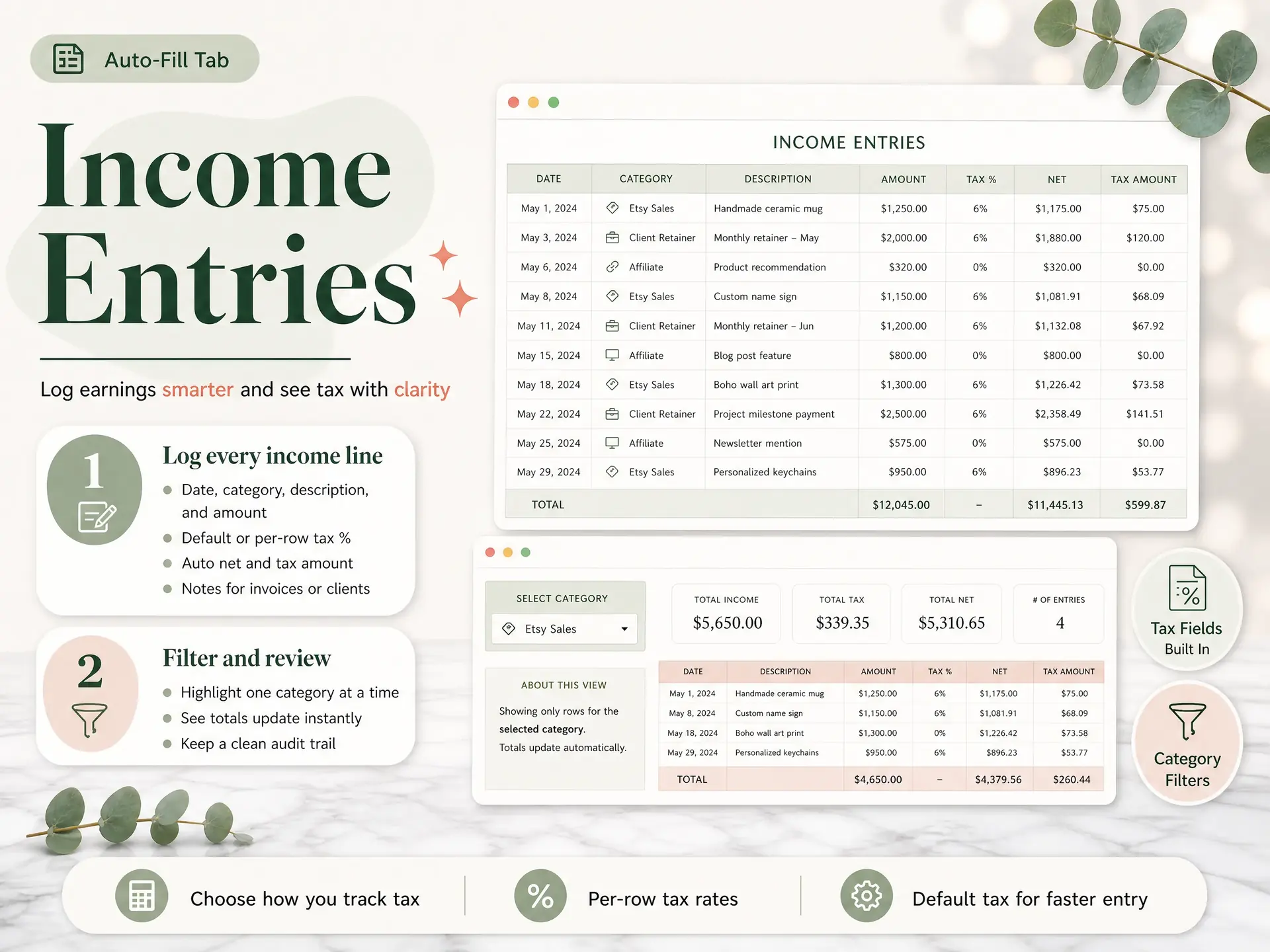
For each line, keep enough detail to identify what happened: date, description, category, and amount. Save invoices, receipts, sales reports, and other supporting records with the entry or in an organized folder. The IRS recordkeeping guidance says records should support income and expenses and be available to explain them.
Use categories that help you read the business. A freelance designer might separate project income from software, supplies, payment fees, and subcontracting. A small shop might use sales channels, inventory costs, shipping, and platform fees. A small business bookkeeping template checklist can help you decide whether the fields in your log cover the work you do.
Step 1: Choose the dates and gather income
Write the period at the top of the statement, such as “September 1 through 30, 2026,” then find each income entry that belongs in it under your accounting method. Use the same source records each month so comparisons stay meaningful.
Check for gaps before totaling. Compare your sales log with invoices, payment processor statements, or deposit records. A bank deposit can combine several sales or include money that is not sales income, so do not treat every deposit as a single revenue line without checking it.
If you collect sales tax or another tax from customers, keep the tax detail separate and follow the rules that apply to your location. The IRS Schedule C instructions explain how certain sales taxes are treated for federal reporting. Your statement should preserve the detail your tax professional needs, rather than guessing at the treatment.
Step 2: Group expenses by category
List expenses for the period and group similar ones together. Common labels might include supplies, software, processing fees, rent, or contractor costs. The right categories depend on the business and the records you need to keep.
Mark direct costs separately if that distinction helps explain how sales turn into gross profit. For example, a maker may track materials used to fill orders, then show other running costs below gross profit. A service business may use a simpler layout. Keep the categories consistent from one period to the next.
Before you add a line, check that it belongs to the business, falls in the period, and has a record behind it. The IRS lists invoices, receipts, deposit slips, and canceled checks among examples of documents that can support business records (Publication 583). Whether a cost qualifies for tax purposes is a separate question.
Step 3: Total the lines and calculate profit
Add income first, then total expenses by category. If you separate direct costs, subtract them from revenue to get gross profit; subtract operating expenses from gross profit to get net income or loss for the period. In a single-step layout, subtract all expenses from income.
Here is an illustrative September for a one-person design studio. The figures are sample data created for this guide, not customer results. It uses a simple paid-income-and-costs view to show the arithmetic; it is not a recommendation about which accounting method or tax categories to use. Sample methodology: we chose round monthly totals for a hypothetical studio, then checked the category sums and subtraction. No customer records or outside benchmark inform the figures.
| September sample statement | Amount |
|---|---|
| Design project income | $3,000 |
| Direct production costs | −$600 |
| Gross profit | $2,400 |
| Software | −$60 |
| Web hosting | −$25 |
| Supplies | −$140 |
| Payment fees | −$45 |
| Total operating expenses | −$270 |
| Net profit for the sample period | $2,130 |
The calculation is $3,000 − $600 − $270 = $2,130. Production costs reduce revenue to gross profit, and operating expenses reduce gross profit to net income. Keep this logic in the spreadsheet or bookkeeping file that holds your entries.
Step 4: Check the statement against your records
Before sharing the P&L, check that income and expense totals match the entries for the selected period, category subtotals add up to the statement totals, and any changed transactions are reflected in the summary.
Check from the entries upward: add each category first, then compare the category totals with the statement. Two errors can cancel in the final number, so a matching grand total alone does not prove every line is in the right place. This second-pass check is a useful part of the routine when your categories change or a transaction is edited.
Use a short review list:
- Confirm the first and last date on the statement.
- Look for missing sales or duplicate entries.
- Check that refunds, taxes, and transfers are not mixed into income or expenses by accident.
- Re-add category totals and compare them with the transaction list.
- Save the source records with the finished statement.
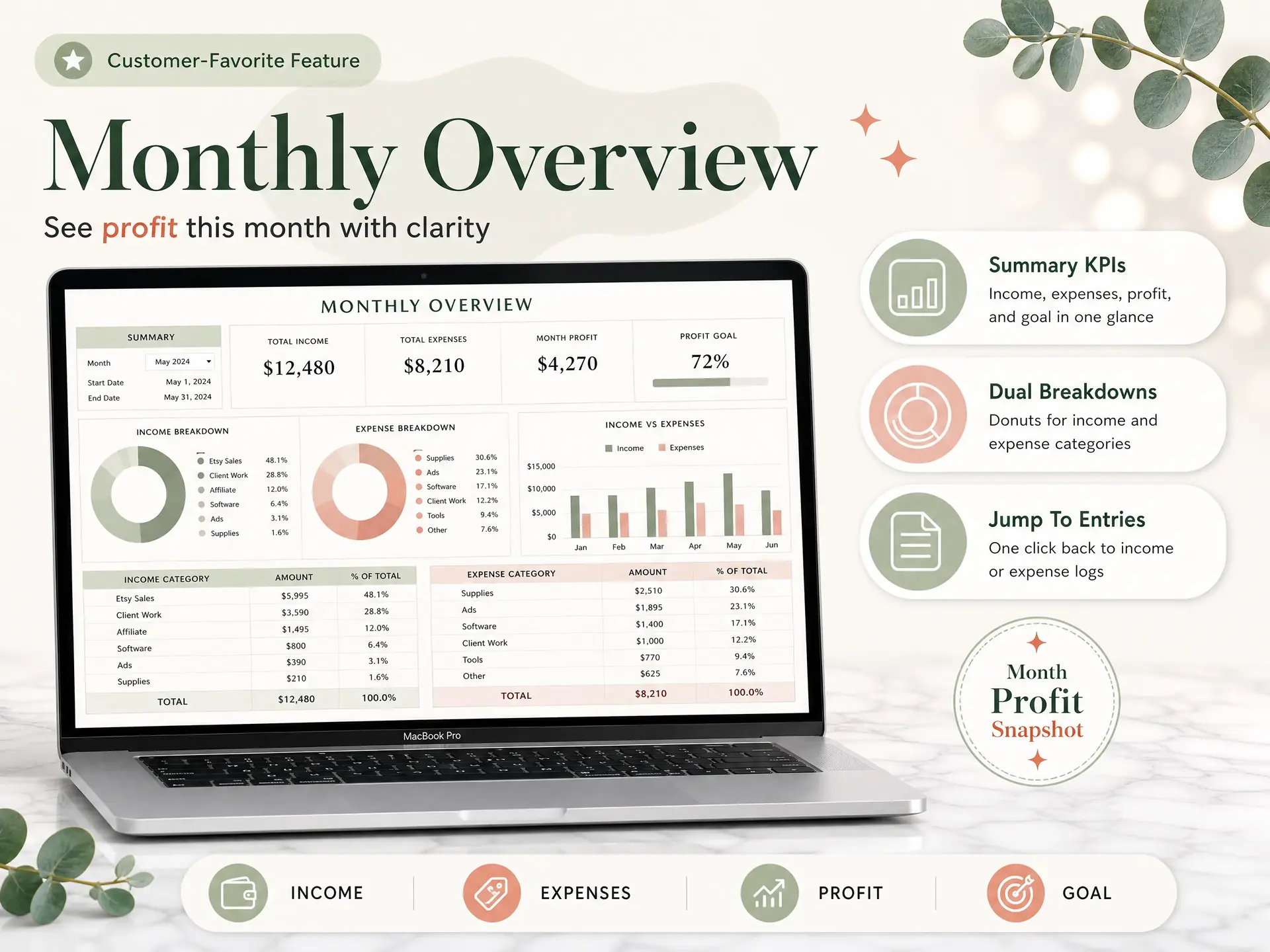
A linked workbook can update totals from the entries instead of requiring you to retype them, but review unusual lines and check that source records support the numbers. For a deeper audit of the log itself, use five checks for a bookkeeping spreadsheet.
What should you look at after the numbers balance?
Read the categories before reacting to the final profit figure. A single month can move because of timing, a large purchase, or a late customer payment. Compare like periods and ask what changed in the underlying entries.
Keep three distinctions in view. Net profit is not the same as the cash in your bank account. A P&L does not list assets and debts the way a balance sheet does. And the categories on a management summary may not map one for one to a tax form. The IRS Schedule C is a separate form for reporting profit or loss from a sole proprietorship (2025 Schedule C instructions); ask a tax professional how your books should support your filing.
After the totals balance, ask which category changed, which entries caused it, and whether you expect the same pattern next month. A profit and loss statement template with a worked example explains what the finished layout can include.
Why Trust This Article
The Cosmo Suite team makes the Easy Bookkeeping Sheet, so we are not independent of the product discussed below; we checked IRS transaction-recordkeeping guidance, Publication 583, and the 2025 Schedule C instructions on October 14, 2026. See About and our editorial policy; this is general information, not tax advice, so ask a tax professional about your situation.
Where the Easy Bookkeeping Sheet Fits
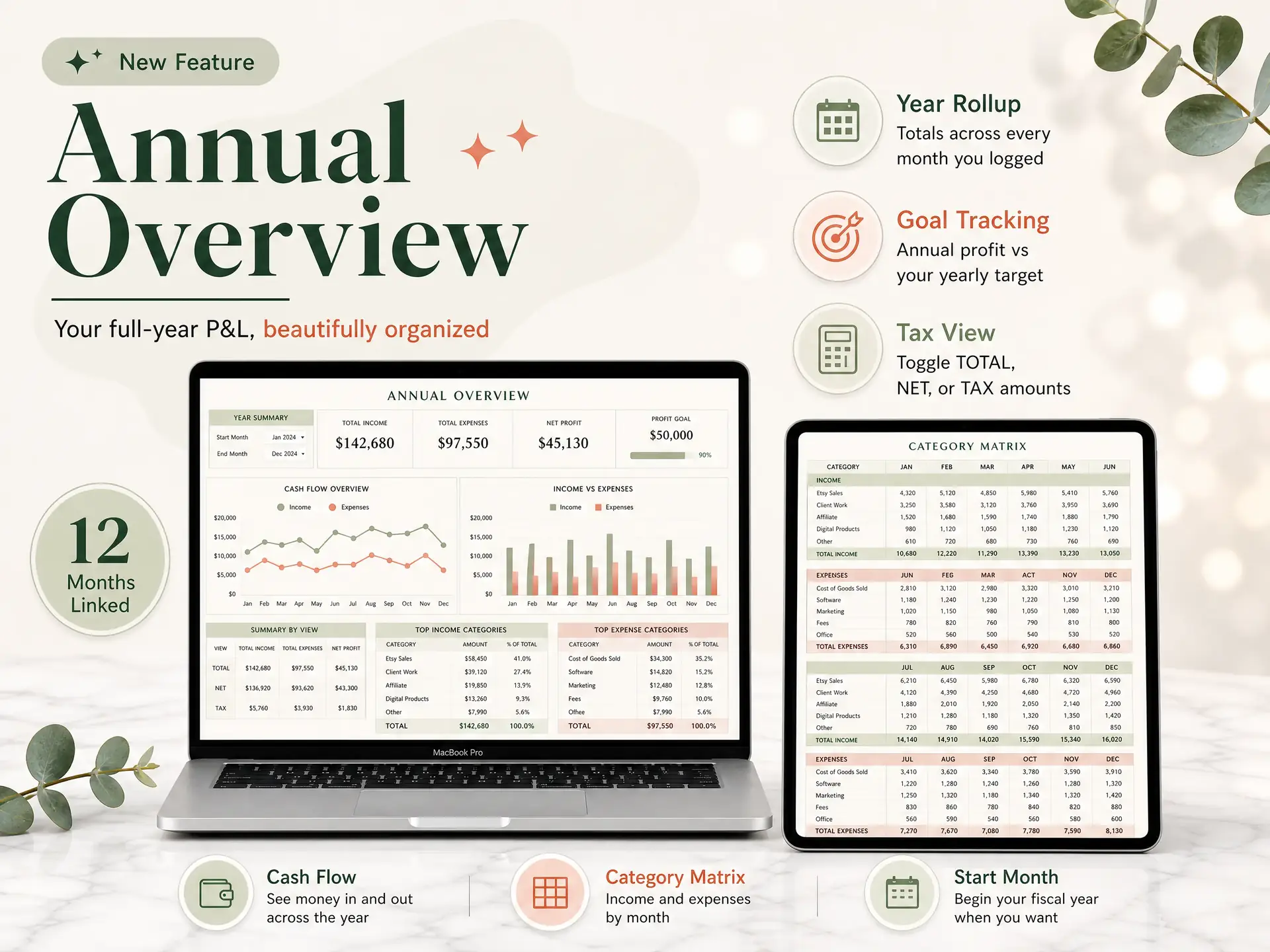
The five steps work in any recordkeeping system that gives you clear income and expense totals. For simple books, the Easy Bookkeeping Sheet has seven tabs for setup, income and expense entries, monthly and annual overviews, balances, and payment methods in one workbook.
The workbook includes Excel and Google Sheets files, up to 20 income and 20 expense categories, per-row or default tax rates, and a fiscal start month; it does not provide bank feeds, invoicing, payroll, mileage, receipt scanning, or tax filing. The one-time price is $9. Check the contents and limits on the Easy Bookkeeping Sheet product page, then compare them with the records and workflows you need.
Frequently Asked Questions
What is the easiest way to make a profit and loss statement?
Start with one month of income and expense entries, group the lines by category, and subtract costs from income. A linked spreadsheet can total each category from your entries. Keep the transaction list so you can trace every number in the summary.
Can I make a profit and loss statement in Excel?
Yes. Use columns for date, description, category, amount, and any tax detail you need, then total each category for the period. A spreadsheet can work for simple books when you keep it consistent and check the totals against your records.
How often should a small business prepare a P&L?
Monthly is a useful rhythm for reviewing income, expenses, and profit. You can also prepare a statement for a quarter or year by changing the date range, as long as the underlying entries use the same accounting method and categories.
Does a profit and loss statement show cash in the bank?
No. A P&L summarizes income and expenses over a period. The bank balance can differ because of transfers, loans, owner contributions, unpaid invoices, or other cash movements. Use a cash view or bank records when you need to explain the balance.
Is a P&L the same as a Schedule C?
No. A P&L is a business summary, while Schedule C is an IRS tax form for reporting profit or loss from a sole proprietorship. The categories and tax treatment may not match one for one, so ask a tax professional how to prepare your return.
Can I use a spreadsheet instead of accounting software?
It depends on the work you need the system to do. A spreadsheet can suit simple books you update yourself. If you need bank feeds, invoicing, payroll, or several users, choose a tool that supports those jobs.
Frequently asked questions
What is the easiest way to make a profit and loss statement?
Begin with one month of income and expense entries. Group them by category, subtract costs from income, and keep the transaction list nearby so you can trace each total. A linked spreadsheet can do the adding for you.
Can I make a profit and loss statement in Excel?
Yes. Add a date, description, category, amount, and any tax detail you need. Total each category for the period, then check those figures against your records. A spreadsheet can suit simple books when you keep the same method each month.
How often should a small business prepare a P&L?
A monthly statement gives you a regular view of income, expenses, and profit. You can prepare one for a quarter or year by changing the dates. Keep the accounting method and categories consistent across the entries.
Does a profit and loss statement show cash in the bank?
No. A P&L summarizes income and expenses for a period. Your bank balance can also include transfers, loans, owner contributions, unpaid invoices, and other cash movements. Use bank records when you need to explain the balance.
Is a P&L the same as a Schedule C?
No. Schedule C is an IRS tax form for reporting profit or loss from a sole proprietorship. A P&L is a business summary, and its categories may not map directly to the form. Ask a tax professional how to prepare your return.
Can I use a spreadsheet instead of accounting software?
A spreadsheet can suit simple books that you update yourself. If you need bank feeds, invoicing, payroll, or several users, choose a system that supports those jobs.